Configure Deposit Policy Override Reasons
When the Deposit Policy Override feature setting is enabled, users can configure the deposit policy/amount override reasons in the Deposit Override Reasons screen (All Settings ➜ Reservations ➜ Deposit Override Reasons). When users click Add, the Add Deposit Override Reason pop-up screen appears that displays the following fields:
|
Field |
Description |
|---|---|
|
Active |
Select this checkbox to create active reasons. This checkbox is selected by default. |
|
Reason |
The override reason name. This is a mandatory field that accepts a maximum of 64 alphanumeric and special characters. |
|
Code |
A unique code for the override reason. This is a mandatory field that accepts a maximum of 10 alphanumeric and special characters. |
|
Apply Reason To |
This is a mandatory field that allows users to select from the following options to which the reason must be applied:
When both options are selected, the override reason can be selected in both scenarios. |
|
Description |
The description for the reason. This is a mandatory field that accepts a maximum of 200 alphanumeric and special characters. |
When users click Save, the override reason is saved and displayed in the Deposit Override Reasons screen.
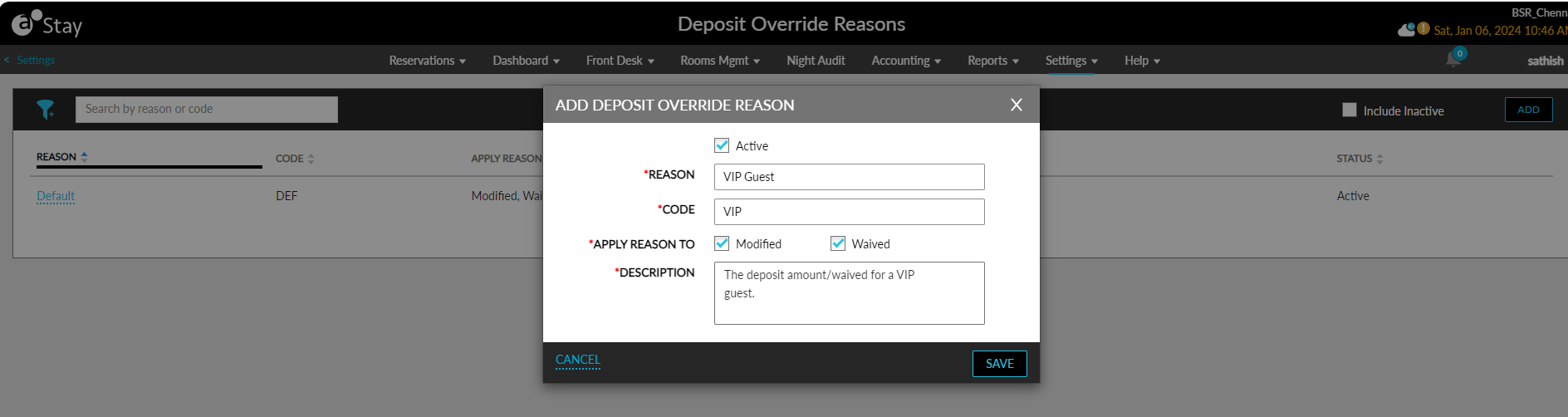
Details of the reasons configured are displayed in the following columns:
-
Reason
-
Code
-
Apply Reason To
-
Description
-
Status
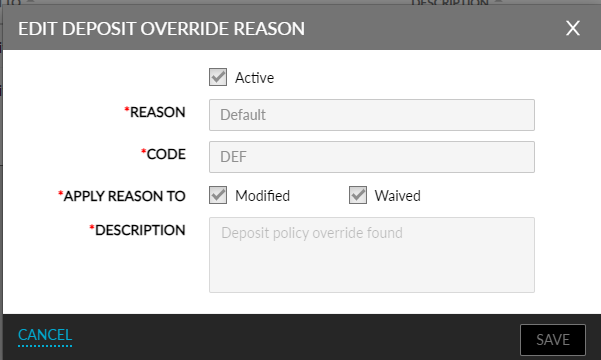
All columns can be sorted. Users can search for a record using the reason name or code. To modify the details of an override reason, users must click the reason name displayed as a hyperlink. When clicked, the Edit Deposit Override Reason pop-up screen appears that allows users to modify the details configured.
An override reason, Default, will be created and displayed by the system by default. This reason cannot be modified or made inactive. When a deposit policy/amount is overridden, the default reason will be selected when no other override reason is available for selection.